Howto: Create a RSA Key-pair#
Generate using OpenSSL#
The steps below require you to have OpenSSL installed, alternatively you can use the online tools described in the next section!
First generate the RSA private key in PKCS#8 format using OpenSSL, by executing the following command:
openssl genpkey -algorithm RSA -out private_key.pem -pkeyopt rsa_keygen_bits:1024
Next, extract the public key using the command:
openssl rsa -pubout -in private_key.pem -out public_key.pem
Now you will have a public and private key in PKCS#8 PEM format.
Using Online Tools#
Using the following two tools you will be able to create a PKCS#8 key in two steps:
The following online generator can be used to generate a key-pair using the PKCS#1 format: http://travistidwell.com/jsencrypt/demo/.
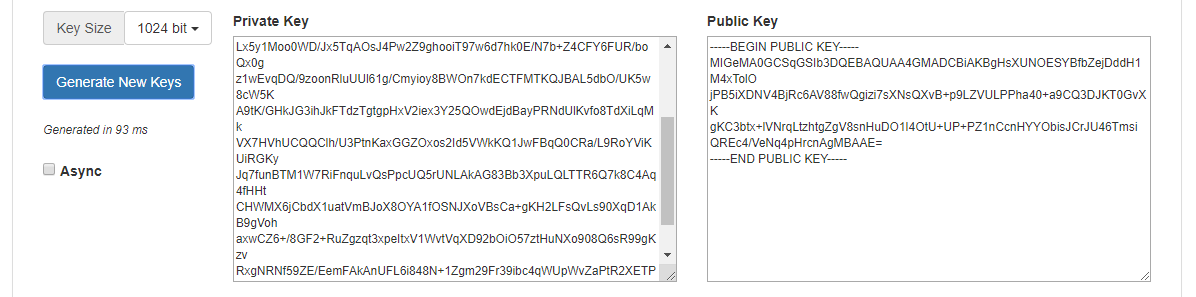
This is only step one of creating a RSA pair which you can use in combination with the Laces Platform, as we need the private key in PKCS#8 format.
Therefore the next step is to use the RSA Key Converter tool, which can be found at: https://decoder.link/rsa_converter:
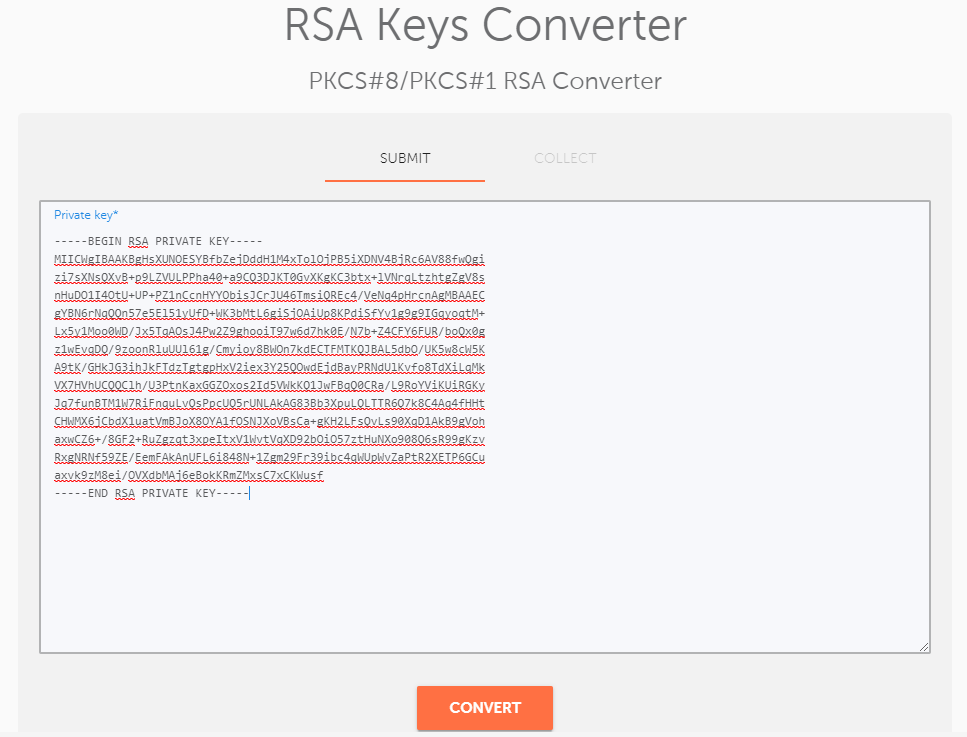
Simply paste the PKCS#1 key, created in the first tool, int the text field on the "SUBMIT" tab, and hit "CONVERT"; the PKCS#8 key is then presented in the "COLLECT" tab.
The public key does not need to be formatted and can be used in combination with either the PKCS#1 or PKCS#8 private key.
Using Java#
The code below generates a base64 encode key-pair using Java:
import java.security.KeyPair;
import java.security.KeyPairGenerator;
import java.security.NoSuchAlgorithmException;
import java.util.Base64;

public class GenerateRSAKeyPair {

    public static void main(String[] args) throws NoSuchAlgorithmException {
        KeyPairGenerator keyGen = KeyPairGenerator.getInstance("RSA");
        keyGen.initialize(1024);
        KeyPair pair = keyGen.generateKeyPair();

        System.out.println("publicKey = \"" + Base64.getEncoder().encodeToString(pair.getPublic().getEncoded()) + "\"");
        System.out.println("privateKey = \"" + Base64.getEncoder().encodeToString(pair.getPrivate().getEncoded()) + "\"");
    }
}