Querying#
Running SPARQL queries#
Publications can be queried using SPARQL.
Queries can be executed against the complete publication URL appended with a "/sparql" segment at the end of the Publication URL. This URL can be constructed by appending the publication's relative URI (see Publishing) to the LDP's URL (https://hub.laces.tech).
So if we have a publication, which has the relative URI /example/repository/road/assets, the URL to query becomes:
https://hub.laces.tech/example/repository/road/assets/sparql
Requests can be either done using GET or POST.
- with a
GETquery request, the percent-encoded query is passed as the value of the "query" parameter, - with a
POSTquery request the query is passed in the body of the request and the "Content-Type" header is set to "application/sparql-query".
Among the format of the result can be set using the "Accept" header, the following formats are supported:
- JSON =
application/json - CSV =
text/csv - XML =
application/sparql-results+xml - TSV =
text/tab-separated-values
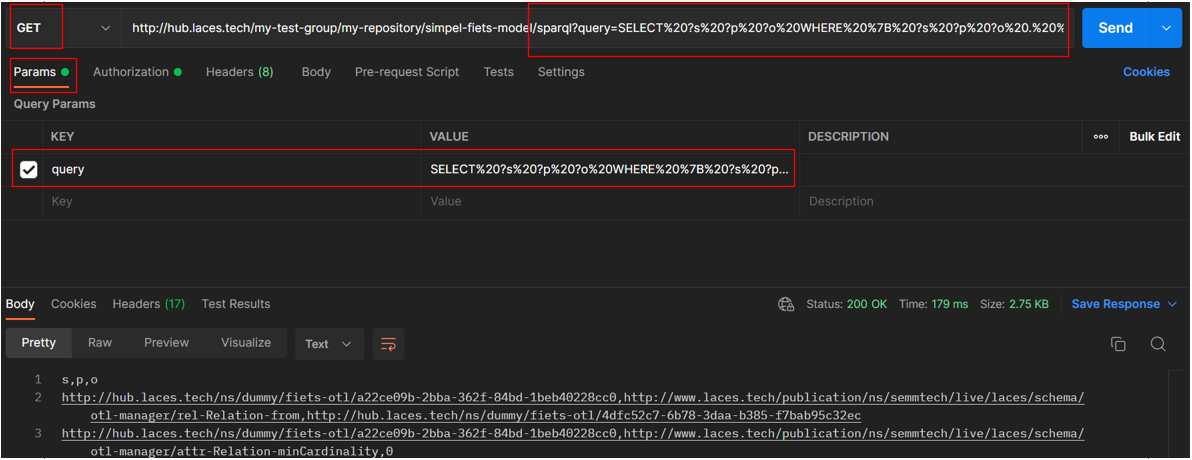
Below, an example is provided of executing a simple SPARQL query using GET. This query just returns the first 10 triples it finds:
SELECT ?s ?p ?o WHERE { ?s ?p ?o . } LIMIT 10
When passing along the query inside the QueryString parameter "query" in case of a GET, make sure to encode the value (or query) or else the resulting URL will be invalid. For more information on this encoding, see Percent-encoding.
This means that the query above results in a request URL, which is equal to
https://hub.laces.tech/example/repository/road/assets/sparql?query=SELECT%20?s%20?p%20?o%20WHERE%20%7B%20?s%20?p%20?o%20.%20%7D%20LIMIT%2010
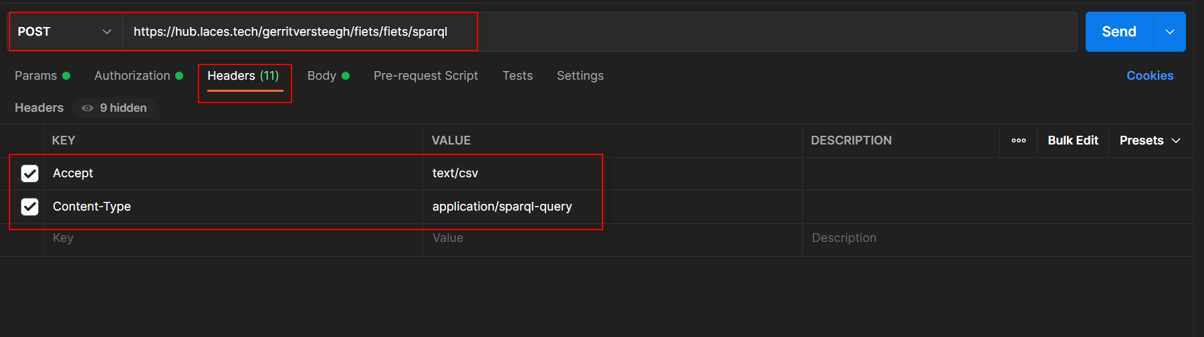
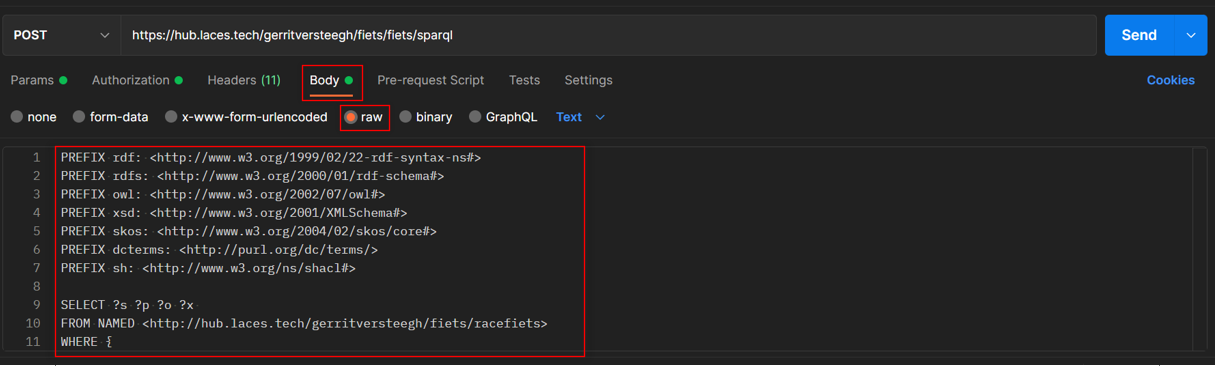
Using a POST to query is also possible (and even preferred to prevent a long query to be injected into the URL's query). In this case the body of the request must hold the SPARQL query, and an additional "Content-Type" header must be provided with the value "application/sparql-query". Also when using POST the query does not need to be included in the URL's parameters.
It is also possible to simultaneously query multiple publications on the platform. The following example shows a query that is executed on 'publication 1', while using FROM NAMED and GRAPH keywords to query 'publication 2' at the same time.
SELECT ?s
FROM NAMED <http://hub.laces.tech/example/repository/road/parts>
where {
    ?s ?p ?o .
    GRAPH <http://hub.laces.tech/example/repository/road/parts> {
        ?s ?y ?z
    }
}
For more information on this feature, see next sections.
A few things should be noted:
- When referring to other publications, the address should always start with "http://" ("https://" is only used for accessing services)
- The publications that are queried must be located within repositories hosted on Laces Data Platform
- The user must have access to all the queried repositories
Query over multiple publications#
Additional Publications can be included in the query by indicating their Publication URL as default-graph-uri in the QueryString parameters.
This page describes how to query over multiple publications, for instance querying over individuals found in one publication and the class definitions found inside another one. The feature discussed here is based on the SPARQL 1.1 Protocol. Note that in this case the term "Publication" is synonymous for "Graph".
This feature works for publications which have been published into the Laces Data Platform. External sources of triplestores can be used with the keyword SERVICE in the query (see link).
Sample Dataset#
In order to explain this feature, we first will describe two datasets which we will refer to in the steps below to illustrate how it works. We have the following two (fictional) datasets:
- OTL: which contains a small class hierarchy, which can be seen as a schema
- Individuals: a publication which has a couple of instances for the classes defined in the OTL
The images below show all the 28 triples found in these two publications:
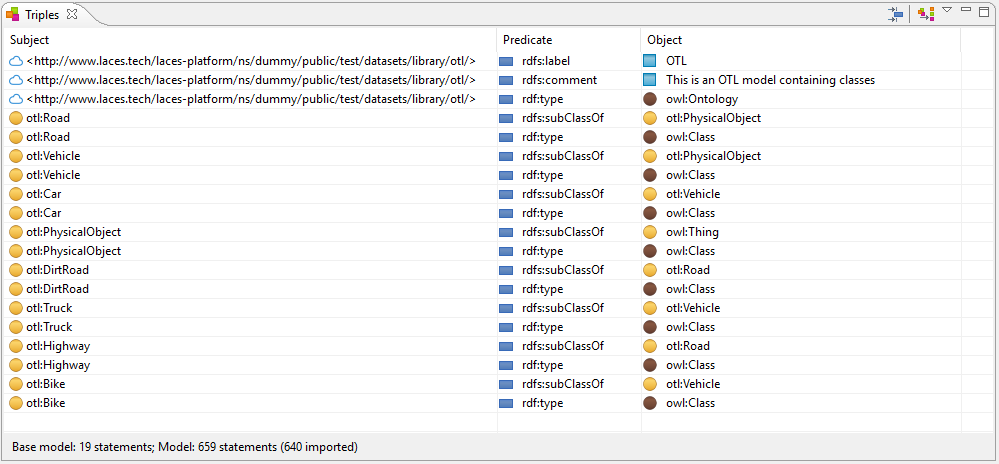
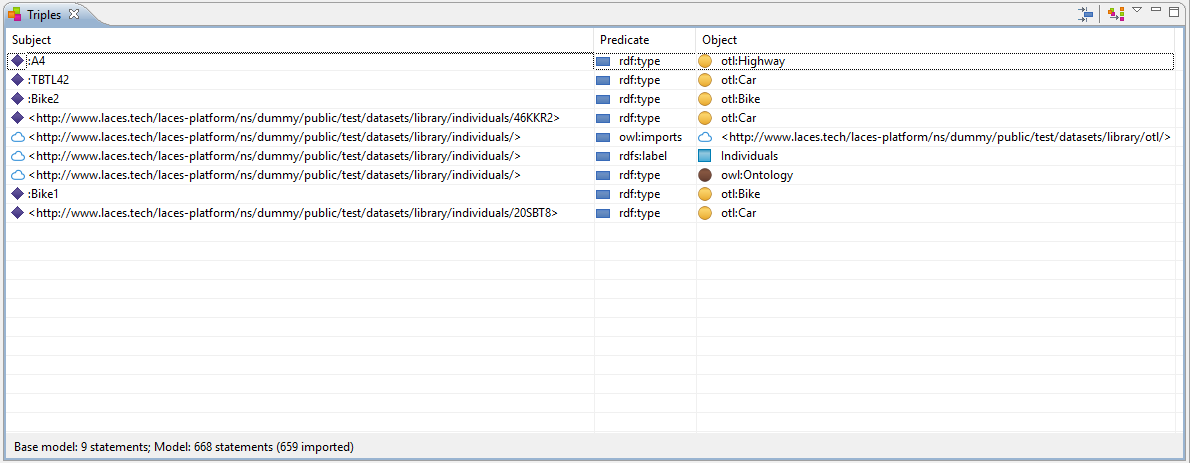
The models containing the triples have each been published to, and are available at, the following respective (un-versioned) publication URLs:
http://hub.laces.tech/example/repository/otl
http://hub.laces.tech/example/repository/individuals
SPARQL End-points#
If we now would to query the OTL publication at
https://hub.laces.tech/example/repository/otl/sparql
and COUNT the number of triples, using the following query:
SELECT (COUNT(*) as ?size)
WHERE {
    ?s ?p ?o .
}
The result returned by the Platform (as "text/csv") is:
size
19
Similarly we can also query the Individuals publication at
https://hub.laces.tech/example/repository/individuals/sparql
using the same query, which returns:
size
9
Default Graph URIs#
However, as both publications are stored inside the same repository, we can instruct Laces Data Platform to combine the contents of both graphs (or publications) into the default graph. One way of achieving this is by adding two default-graph-uri parameters to the request (as specified in the SPARQL Protocol 1.1).
Using Postman this is can be done by adding the two parameters to the Params tab of the request:
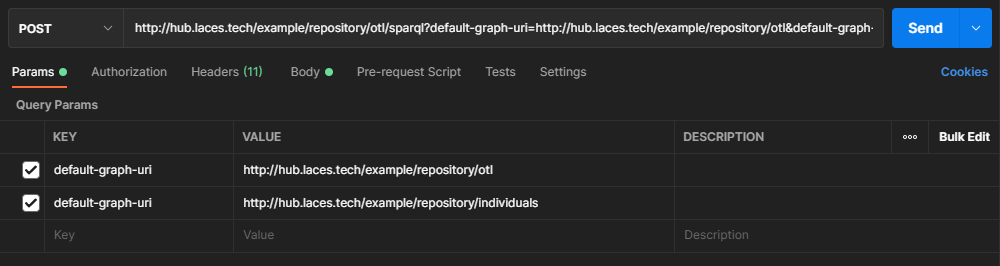
Now if we execute the same query again - to any of the SPARQL end-points - we get the following result:
size
28
Clearly the triples from both publications have been combined into one, prior to executing the query.
A more realistic example is using a query which required details from both publications, like instances of some OTL classes. The example below looks for instances of the class otl:Vehicle. However, as the individuals defined in the Individuals publication are either instances of otl:Bike or otl:Car, without the sub class information between these classes and the otl:Vehicle defined in the OTL, the following query would not return any results.
PREFIX otl: <http://hub.laces.tech/ns/dummy/public/test/datasets/library/otl/>

SELECT ?instance ?class
WHERE {
    ?class rdfs:subClassOf+ otl:Vehicle .
    ?instance rdf:type ?class .
}
However if we add both the OTL and Individuals publications as default-graph-uri we get individuals even though they are not (directly) typed as otl:Vehicle instances.
Named Graph URIs#
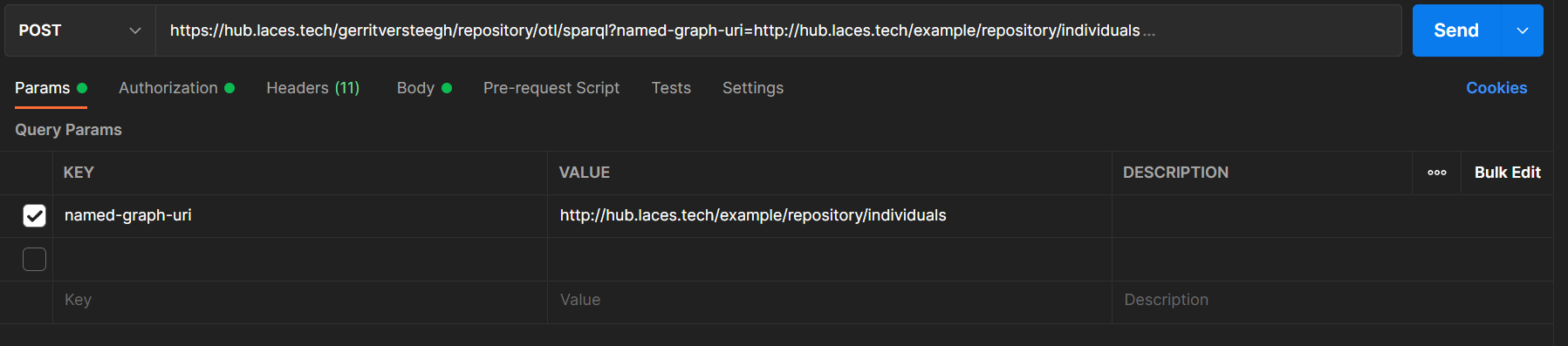
An alternative approach is using Named Graph URIs. This can be done in two ways. The first method is to explicitly state the graphs within the SPARQL query, using the FROM NAMED clause (see link). In this case we do not have to provide the additional parameters to the request itself. This also provides better control over which part of a SPARQL query should be looked up within a particular graph. Now each publication can be explicitly defined using the FROM NAMED construct, and within the actual query, using the GRAPH construct.
The second way is by adding a named-graph-uri in the Query Parameters. The FROM NAMED clause does not have to be stated within the query now, but the GRAPH clause still does (see link).